7 Tips for Choosing Solar Security Cameras?
Choosing the right solar security camera is not simply about buying the panel with the highest wattage. A reliable system must match your property, climate, lighting, and daily security needs. The best Security Cameras Solar options combine clear video, stable wireless performance, weather resistance, and practical energy management.
A careful buyer should inspect the camera’s battery capacity, solar panel angle, night vision range, motion detection, storage method, and mobile alerts. A camera mounted beneath a shaded roof may receive weak sunlight, even on bright days. Heavy rain, dust, and winter temperatures can also affect performance. These details matter more than impressive product images.
Start with the location. Then study the power supply.
The following seven tips focus on real installation concerns rather than exaggerated specifications. They explain how to compare image quality, battery endurance, connectivity, privacy features, installation flexibility, maintenance needs, and long-term value. Personal testing is useful, but one setup cannot represent every home or business. That limitation deserves attention. A camera may record a clear driveway while missing activity beside a fence. It may also send alerts too often when trees move in the wind. Reviewing these weaknesses helps create a more dependable security plan. Choose equipment from reputable manufacturers, check current technical documentation, and confirm that the design fits local conditions. Good security technology should support informed decisions, not create false confidence.
Understanding How Solar Security Cameras Work
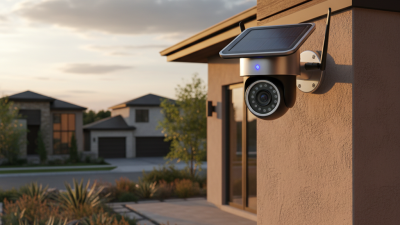
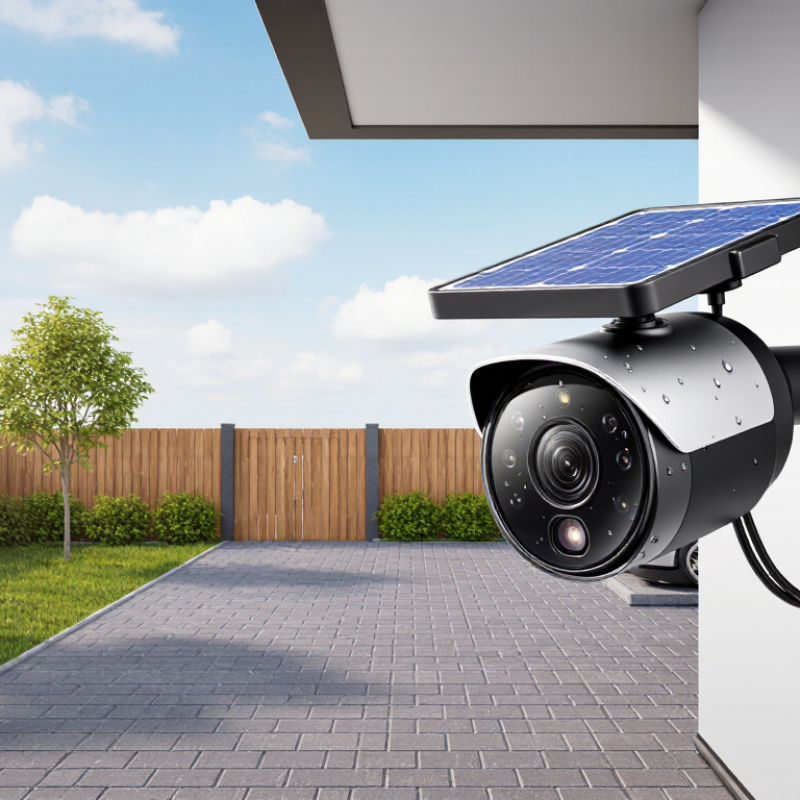
Solar security cameras convert sunlight into stored electrical energy. A small panel charges a battery during daylight hours. The battery powers the camera after sunset or during cloudy weather. This process sounds simple, but placement affects performance more than many buyers expect. A shaded panel may leave the battery empty by midnight.
Most models use motion sensors to reduce power consumption. When movement appears, the camera wakes, records video, and sends an alert through Wi-Fi or a cellular connection. Infrared LEDs can provide black-and-white night images without visible lighting. Some cameras also use low-power standby modes between events. These features help, though frequent movement can drain the battery quickly.
Check the panel angle, battery capacity, charging speed, and operating temperature before choosing one. Cloudy days matter. A larger battery offers more reliable overnight operation, especially in winter. However, a larger battery does not fix weak network coverage or poor installation. Mount the camera where the panel receives several hours of direct sunlight, while keeping the lens away from strong glare. Review storage options and privacy controls carefully. Local storage may continue recording during an internet outage, but it can require manual retrieval. Solar cameras are convenient, not maintenance-free. Dust, leaves, snow, and gradual battery wear still need attention. A quick monthly inspection is easy to forget, yet it can reveal problems early.
Assessing Solar Power and Battery Performance
Solar security cameras succeed or fail on energy balance. The panel must replace daily consumption, not merely charge the battery in bright weather. NREL’s PVWatts guidance shows that shading, panel angle, temperature, and system losses can significantly reduce real output. A camera under a tree may receive only scattered light. That detail matters.
Check the panel’s rated wattage, but do not stop there. Compare expected solar yield with the camera’s daily watt-hour demand, including infrared lighting, motion detection, recording, and wireless transmission. The International Energy Agency reports that solar resources vary widely by location and season. Winter performance can be especially weak. Ask for test results from cloudy conditions, not only laboratory sunlight.
Good evidence is often missing.
Battery performance deserves equal scrutiny. The U.S. Department of Energy’s Energy Storage Grand Challenge Roadmap identifies 85–95% round-trip efficiency as a typical range for lithium-ion storage systems, but compact camera batteries may perform differently. Heat, cold, and frequent night-time activation accelerate energy loss. Look for usable capacity, operating temperature, cycle testing, and low-battery behavior. I would distrust a “months of backup” claim without a stated motion frequency. Real properties are rarely quiet.
A practical trial should measure battery percentage after several cloudy days, while recording alerts and night footage. That test may reveal an uncomfortable gap between specification and experience.
Choosing Image Quality, Coverage, and Night Vision
7 Tips for Choosing Solar Security Cameras
Choosing Image Quality, Coverage, and Night Vision
A clear image starts with the camera’s sensor, not resolution alone. Compare sharpness at the distance you actually need to monitor. A face near the gate needs more detail than a wide garden view. Check how the camera handles motion, compression, and bright sunlight. A high-pixel image can still look soft. I once tested a camera that showed excellent daytime detail but blurred a moving person badly. That result changed my buying checklist.
Use these seven checks:
- match resolution to viewing distance;
- choose a suitable lens angle;
- measure blind spots;
- test digital zoom carefully;
- inspect night footage;
- compare infrared range;
- and confirm low-light clarity after dark.
Wider coverage is useful, but excessive width can shrink important details. Walk through the monitored area before installation. A simple phone video can reveal missed corners. Night vision deserves extra attention. Infrared should show faces without creating white glare. Color night vision may need nearby lighting, which solar systems cannot always support. Test footage during rain, fog, and weak moonlight. Solar cameras also reduce power use at night, so frequent motion alerts may affect performance. This is easy to overlook. Choose adjustable detection zones, realistic storage options, and weather protection suited to your location. Recheck the view after installation, because branches and seasonal shadows can quietly change coverage.
Comparing Connectivity, Storage, and Smart Features
Start with connectivity, not the solar panel. A camera that loses signal misses the event. Test Wi-Fi strength at the planned mounting point, especially behind concrete walls. Cellular connectivity can help in remote areas, but it may require a separate data plan. Dual connectivity sounds attractive, yet switching performance varies between devices. Check whether the camera reconnects automatically after a power or network interruption.
Storage decisions deserve equal attention. Local storage keeps footage available during internet outages, but memory cards can fail without warning. Cloud storage offers easier access and safer backup, though recurring fees may increase ownership costs. Compare recording length, download limits, encryption, and automatic deletion periods. A short retention period may be fine for a driveway, but not for a seldom-visited property. Read the privacy policy carefully. Small print matters.
Smart features should reduce work, not create new problems. Look for person detection, activity zones, two-way audio, and adjustable alert sensitivity. Test notifications during daylight and darkness. Some systems mistake shadows, insects, or moving branches for activity. I once trusted an overly sensitive alert setting and checked my phone repeatedly for nothing. That experience changed my view: useful automation needs careful tuning. Check battery estimates under cloudy conditions, firmware update methods, user permissions, and the camera’s night image near reflective walls. Overspecification is easy; dependable daily operation is harder.
7 Tips for Choosing Solar Security Cameras
Compare connectivity, storage, and smart features before selecting a solar-powered security camera. The planning scores below reflect practical importance for typical outdoor installations, rated from 1 to 5.
Higher scores indicate features that usually deserve more attention during product evaluation. Wi-Fi depends on network range, 4G LTE requires cellular coverage and a data plan, while local microSD and cloud storage offer different cost and access advantages.
Checking Installation Needs, Durability, and Total Cost
Choosing a solar security camera starts with the property, not the product. Walk the planned mounting area at different times of day. A roof edge may receive strong noon sun but deep afternoon shade. Note it. Check whether the panel can face the sun without trees, walls, or seasonal obstructions. Installation also needs a stable surface, safe access, and a reliable wireless signal. Some systems require drilling, while others use brackets. Loose mounts can distort video in strong wind. Measure the distance before ordering. I once underestimated it. The cable barely reached the camera.
Outdoor durability deserves more than a weatherproof label. Look for clear water and dust resistance ratings, UV-resistant housing, sealed connectors, and a suitable temperature range. Heavy rain, salt air, and freezing nights quickly test weak materials. A small overhang may extend service life, but it can reduce sunlight. Check battery capacity too. Winter charging may be slow after several cloudy days. Motion detection settings affect runtime. High sensitivity can create constant alerts and drain the battery. Test the detection zone after installation.
Total cost includes the camera, mounting hardware, storage, replacement batteries, and labor. A low purchase price can hide recurring fees or frequent battery replacement. Estimate three years of use, then compare realistic maintenance needs. Also consider the cost of missed footage. A cheap camera is not economical if its app disconnects during an incident. Keep records of charging performance and false alerts. This data may reveal a poor location or an unrealistic expectation. Solar power reduces wiring, but it does not remove planning. Leave room for mistakes, because outdoor conditions rarely follow the brochure.