Leave Your Message
Phone
E-mail
Whatsapp
Whatsapp

Choosing the best Cctv With Solar system in 2026 requires more than comparing camera resolution. Outdoor surveillance depends on sunlight, battery capacity, network stability, storage, and nighttime performance. A camera may advertise 4K video, yet still fail beside a shaded gate or dusty construction fence.
Industry data shows why solar security deserves closer attention. IRENA’s Renewable Capacity Statistics 2024 reported 473 gigawatts of new renewable capacity worldwide in 2023. Solar power contributed approximately 346 gigawatts, or nearly three quarters of that growth. The International Energy Agency also identifies solar photovoltaic technology as a major driver of future electricity expansion. These figures support solar adoption, but they do not guarantee reliable surveillance.
Field conditions matter more than impressive brochures.
Fatih Birol, Executive Director of the IEA, has described solar PV as “the cheapest source of electricity in history.” That observation supports the energy case, not every camera design. A dependable Cctv With Solar installation still needs a correctly sized panel, a protected battery, efficient motion detection, and a realistic winter energy calculation. Independent testing, manufacturer specifications, and local installer experience should guide the decision.
There is an uncomfortable detail. Solar cameras are not maintenance-free. Leaves can cover panels, batteries age, and cloudy weeks reduce operating time. This guide compares those weaknesses alongside image quality, detection distance, connectivity, weather protection, storage options, and total ownership cost. The best system is not always the most powerful one. It is the one that keeps recording when the site becomes difficult.
How to Choose the Best Solar CCTV Camera in 2026?
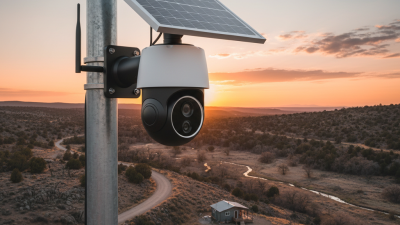
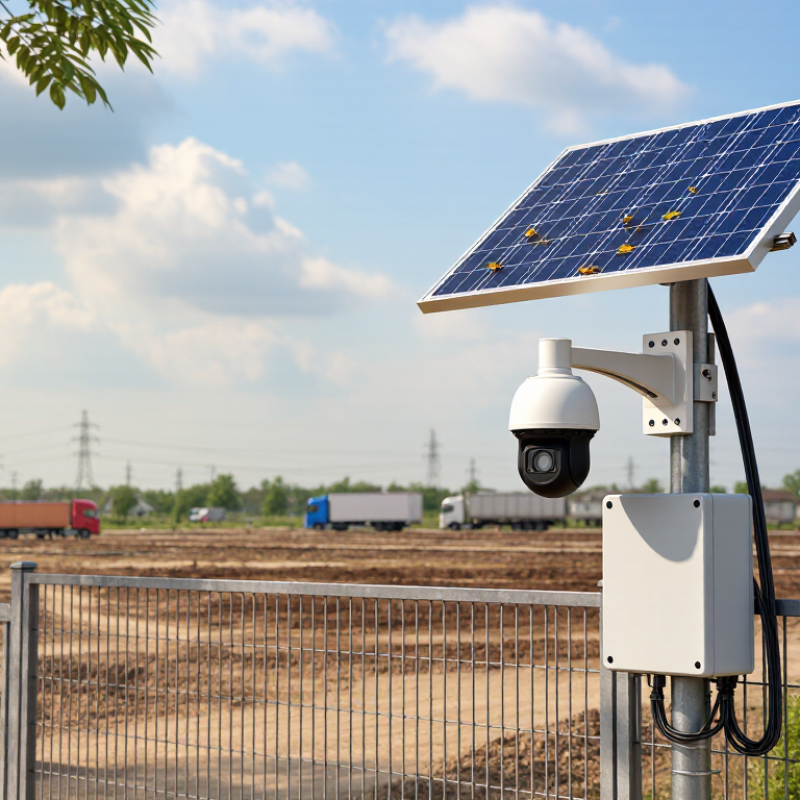
A solar CCTV camera converts sunlight into electricity through its photovoltaic panel. A charge controller regulates this energy before it reaches the battery. The battery then powers the camera during darkness or cloudy weather. Many models remain in low-power standby mode. A motion sensor wakes the camera when movement appears. The processor analyzes the scene, while infrared LEDs support night vision. Video may travel through cellular networks or Wi-Fi. Local storage can also preserve recordings during connection failures.
Real-world performance depends on more than panel size. A shaded panel may collect little energy, even under bright skies. Battery capacity matters during winter, rainy weeks, and long nights. I once estimated energy needs too optimistically. Reviewing daily power use changed my installation plan. Check operating temperature, weather resistance, detection range, and charging efficiency. Also inspect whether the camera records continuously or only after motion detection. These modes require very different energy levels.
Tips: Place the panel toward the strongest available sunlight. Keep branches, walls, and roof edges away from its surface. Test motion detection at dawn and after sunset. Confirm that faces remain visible at the intended distance. Review stored footage regularly. Small blind spots can become serious weaknesses. Use measured battery data when possible, not attractive figures alone. A dependable setup should still provide useful alerts after several dull days.
| Selection Dimension | How It Works | Practical Specification Range | What to Look For in 2026 |
|---|---|---|---|
| Solar Panel and Energy Harvesting | The photovoltaic panel converts sunlight into electrical energy, which charges the internal battery through a charge-management circuit. | Approximately 5–20 W panel output for common standalone camera systems; actual production depends on sunlight, panel angle, shading, and temperature. | A high-efficiency panel, adjustable mounting, low-shading installation, and a visible charging-status indicator. |
| Battery Capacity | Stored energy powers the camera, processor, illuminators, and communications equipment when sunlight is unavailable. | Typically 10–40 Ah at about 3.6–12 V, depending on the design and operating load; larger capacities provide more reserve. | Choose enough reserve for several low-sunlight days, with overcharge, over-discharge, short-circuit, and temperature protection. |
| Battery Runtime and Autonomy | The camera reduces energy use through standby mode, scheduled operation, motion-triggered recording, and low-power communications. | A well-designed system may provide roughly 3–10 days of reserve under moderate activity; heavy live viewing or frequent alerts shorten runtime. | Evaluate winter conditions, cloudy-day performance, daily motion events, and whether the system offers configurable power-saving modes. |
| Image Resolution | The image sensor captures pixels that are encoded and stored locally or transmitted through a network connection. | 2 MP (1080p) is common; 4 MP or 5 MP can provide more detail but usually requires more storage, bandwidth, and power. | Match resolution to the monitoring distance. Higher resolution is useful only when the lens, lighting, storage, and network can support it. |
| Field of View and Lens | The lens determines how much area is visible and how large an object appears at a given distance. | Fixed lenses commonly provide about 90°–110° diagonal viewing angles; narrower lenses generally offer greater subject detail at distance. | Select the viewing angle according to the site. Avoid an excessively wide angle if identification at long range is important. |
| Night Vision | Infrared LEDs provide monochrome images in darkness, while white-light LEDs can provide color images but consume more energy. | Common infrared viewing distances are approximately 10–30 m; real performance depends on scene reflectivity, weather, and installation height. | Use infrared for lower power consumption; choose adjustable white light when color evidence is needed and energy availability is sufficient. |
| Motion Detection | A PIR sensor detects changes in infrared heat patterns, while video analytics can classify movement in the camera image. | PIR detection is typically suited to several meters to around 10–15 m; video-based detection can cover the camera’s visible scene. | Prefer adjustable sensitivity, detection zones, human or vehicle filtering, and configurable recording duration to reduce false alarms. |
| Connectivity | The camera transmits alerts and video through cellular data, Wi-Fi, or another supported network connection. | 4G cellular models suit remote areas; Wi-Fi models suit locations with reliable coverage. Live video commonly needs roughly 0.5–4 Mbps depending on quality. | Check network coverage, data-plan requirements, antenna position, reconnection behavior, and local-storage operation during network outages. |
| Storage and Recording | Video is compressed using a codec and saved to removable storage, internal storage, or a remote service. | Event recording uses much less energy and storage than continuous recording; storage capacity commonly ranges from 32 GB to 256 GB. | Look for encrypted storage, overwrite settings, export options, timestamp accuracy, and support for event clips without a permanent connection. |
| Weather Resistance | Sealed housing protects electronic components from dust and water entering from different directions. | IP65 protects against dust and water jets; IP66 provides stronger water-jet protection. Neither rating means the device should be submerged. | Choose a housing suitable for local rain, dust, humidity, snow, and temperature conditions, with corrosion-resistant mounting hardware. |
| Operating Temperature | The battery, sensor, and electronics operate within specified temperature limits; extreme heat or cold can reduce battery performance. | Many outdoor systems are rated near −20°C to 50°C, but the battery’s practical limits may be narrower. | Verify the full operating range for the battery and charging system, not only the camera module. |
| Video Compression and Power Demand | Compression reduces file size and transmission bandwidth. Higher frame rates, resolution, and continuous streaming increase energy use. | Event clips commonly use 10–20 seconds or configurable durations; continuous high-resolution streaming consumes substantially more power. | Choose efficient compression, adjustable frame rate, short event clips, and a low-power standby mode. |
| Installation and Orientation | The solar panel must receive sufficient light, while the camera must cover the target area without excessive glare or obstruction. | Panel orientation and tilt should be optimized for the site’s latitude and seasonal sun path; avoid nearby shade whenever possible. | Prioritize adjustable brackets, secure anti-tamper mounting, easy battery access, and a clear line of sight. |
| Privacy and Cybersecurity | Secure authentication, encrypted communication, firmware updates, and privacy masking help protect recorded footage and account access. | Recommended controls include unique passwords, HTTPS or equivalent encrypted transport, two-factor authentication, and configurable privacy zones. | Select a system with a documented update policy, role-based access, audit information, and the ability to disable unnecessary cloud features. |
Note: Actual performance varies with sunlight, temperature, installation angle, network quality, motion frequency, recording settings, and local regulations.