Top 10 NVR Camera Systems for Home and Business
Choosing the right Nvr Camera system can feel surprisingly complicated. Homeowners want clear evidence without constant technical work. Businesses need dependable recording, controlled access, and sensible storage costs. The best system must handle both expectations.
This guide examines ten NVR camera systems for homes and businesses. It considers image quality, night vision, storage capacity, remote viewing, installation, cybersecurity features, and long-term reliability. A sharp camera is useful, but poor network design can still produce missing footage. That detail is easy to overlook. Very easy.
John Honovich, founder of IPVM, has offered a practical perspective: “The value of video surveillance depends on the evidence it produces.” That principle guides this comparison. We look beyond impressive resolution numbers. We consider how footage appears at 2 a.m., during rain, or under weak hallway lighting. We also examine whether the interface helps users find a specific event quickly.
Some systems perform well in small homes. Others suit warehouses, offices, or retail entrances. No single Nvr Camera package fits every property. A system with eight cameras may be excessive for an apartment, yet inadequate for a busy storefront. Installation quality matters, too. A poorly aimed camera can leave a wide blind spot beside a door.
The rankings are useful, but not absolute. Individual network layouts, lighting conditions, and budgets can change the result. We may also question a few popular features. More megapixels do not always mean better evidence. Practical performance remains the real test.

What Is an NVR Camera System and How Does It Work?
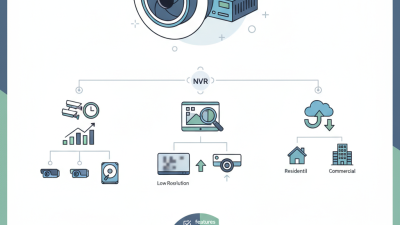
An NVR camera system records digital video from network-connected cameras. Each camera captures images, compresses them, and sends data through Ethernet or Wi-Fi. The NVR then indexes, stores, and displays that footage. Unlike a DVR, it does not mainly process analog signals. It manages digital streams across a local network. Many systems use Power over Ethernet, so one cable carries both electricity and video. It is cleaner. It is not always simpler.
A typical NVR stores recordings on internal hard drives, using motion detection or continuous recording. Users can search by time, camera, or detected activity. Remote viewing usually passes through an internet connection, while local recording can continue during an outage. A 2024 Grand View Research analysis valued the global video surveillance market at about 83.3 billion dollars in 2023. MarketsandMarkets also identifies IP-based surveillance as a major growth area. However, market reports use different methods, so their figures should not be treated as exact predictions.
In a home, place cameras near doors, driveways, and dark side passages. In a business, test coverage from an employee’s eye level, not only from a ceiling plan. A six-camera system can still miss a face. I have found that glare, weak Wi-Fi, and poor night lighting cause more failures than storage capacity. Use strong passwords, updated firmware, network separation, and a retention schedule suited to daily needs. Cloud access is convenient, but local recording provides a useful fallback. Motion alerts also need tuning; too many false alarms quickly become invisible.
Top 10 NVR Camera Systems for Home and Business
Top 10 NVR Camera Systems for Home and Business
Choosing among the top 10 NVR camera systems for home and business requires more than comparing camera resolution. A reliable system should record continuously, manage multiple cameras, and protect footage from accidental loss. Look for an NVR with enough channels for future expansion. Four cameras may be enough today, but a growing property could need eight or sixteen. Power over Ethernet can simplify installation by using one cable for power and data. Clear night vision also matters. Test it near a dark driveway, not only in a bright showroom.
Tips: Check storage capacity, recording retention, and mobile access before buying. Use a UPS to keep recording during short power cuts. Set strong passwords and update firmware regularly. For businesses, confirm that user permissions separate managers from ordinary viewers. Privacy rules may also affect camera placement, especially near shared spaces or public walkways.
Motion detection can reduce storage use, but it is not flawless. Rain, insects, tree shadows, and changing light may trigger false alerts. I would adjust sensitivity after several days, rather than trusting factory settings. Audio recording deserves extra care because local requirements can differ. A dependable NVR should offer encrypted connections, clear playback, and simple evidence export. The best choice is not always the system with the highest resolution. Stable recording, practical controls, and honest maintenance needs matter more over time.
How to Choose the Right NVR System for Your Security Needs
Choosing among the top 10 NVR camera systems starts with your property, not the product list. Count entry points, viewing distances, and areas needing night coverage. A small home may need four cameras, while a warehouse could require sixteen or more. Confirm the recorder supports your preferred resolution and future camera expansion. Compatibility matters. Some systems limit storage, remote viewing, or camera features.
In hands-on installations, storage planning often causes the most frustration. Estimate recording hours, motion activity, and retention needs before buying. A busy driveway fills a hard drive faster than a quiet hallway. Choose encrypted remote access, strong user permissions, and automatic firmware updates. Test the mobile connection from outside your home network. It should remain responsive during ordinary use. My first shortlist focused too heavily on image quality. I later found that poor cable placement and weak network coverage caused greater problems.
Tips: Place the recorder in a ventilated, locked area. Use weather-resistant cameras outdoors. Check night footage, not only daytime samples. Ask whether replacement storage is easy to install. Keep a written camera map and password recovery plan. Leave room in the budget for professional cabling when walls are difficult to access. A perfect system on paper may still disappoint if maintenance is ignored. Recheck your assumptions after one week of real recording.
Top 10 NVR Camera Systems for Home and Business
How to Choose the Right NVR System for Your Security Needs
This comparison uses ten generic NVR planning profiles rather than company or brand data. Estimated retention assumes continuous recording from 4 MP cameras at an average H.265 bitrate of 4 Mbps per camera, with decimal storage capacity used as available space. Motion-based recording can provide longer retention, while higher resolution, frame rate, or bitrate will reduce it.
Installation, Storage, Maintenance, and Privacy Considerations
Top 10 NVR Camera Systems for Home and Business
Installation begins with the recorder’s location. Choose a dry, ventilated cabinet near the network connection. Avoid placing it beside heaters or dusty equipment. Use weather-rated cameras outdoors, with sealed cable joints and gentle cable bends. Test each camera at night before fixing the brackets permanently. A two-person check helps. One person watches the monitor while another adjusts the view.
Storage planning should match movement, resolution, and retention time. Continuous recording uses more space than motion-triggered recording. Calculate capacity before installation, then leave spare storage for busy periods. A dedicated surveillance drive is usually more suitable than a standard desktop drive. Check playback from several dates, not only the latest footage. That simple test can reveal recording gaps. I would not rely on advertised storage estimates alone; settings and motion levels often differ in real homes.
Maintenance needs a monthly routine. Clean lenses gently, inspect connectors, and confirm accurate time settings. Review failed-camera alerts promptly. Firmware updates can improve security, but test compatibility before applying them to every device. Privacy requires careful camera angles. Do not point cameras into bedrooms, neighboring windows, or areas where people reasonably expect privacy. Use strong, unique passwords and separate user permissions for household members or staff. Keep remote access disabled unless it serves a clear purpose. Local storage may reduce exposure, but it does not remove every risk. Check retention rules, signage needs, and applicable privacy requirements before recording shared spaces.