How to Choose the Best CCTV Camera for Your Business?
Choosing the right Cctv Camera for your business is not simply a matter of buying the highest resolution. A small café may need clear facial details near the entrance, while a warehouse may require wide coverage across dark aisles. Your building layout, lighting, customer flow, and storage areas should guide the decision. A camera that performs well outdoors may be unsuitable behind reflective glass. That mistake is common.
Start by walking through the property at different times of day. Notice where sunlight creates glare, where shadows hide movement, and where staff need better visibility. Consider resolution, night vision, viewing angle, storage capacity, weather resistance, and secure remote access. A professional installer can assess blind spots and recommend suitable mounting positions. However, technical advice should not replace your own observations. You understand your daily risks better than a product brochure.
Reliable systems also need regular maintenance. Dust can soften images, loose cables can interrupt recording, and outdated software may reduce security. Choose equipment from an established manufacturer with clear support and warranty terms. Check whether the system can expand when your business grows. Avoid paying for features you will never use. More technology is not always better.
There is no perfect setup.
The best choice balances image quality, practical coverage, budget, and responsible data handling. Test sample footage before installation, especially at night. Review camera placement with employees, since they may notice hidden problems first. A thoughtful decision protects property, supports incident reviews, and respects the people who enter your business. Mistakes can still happen, so leave room for improvement.
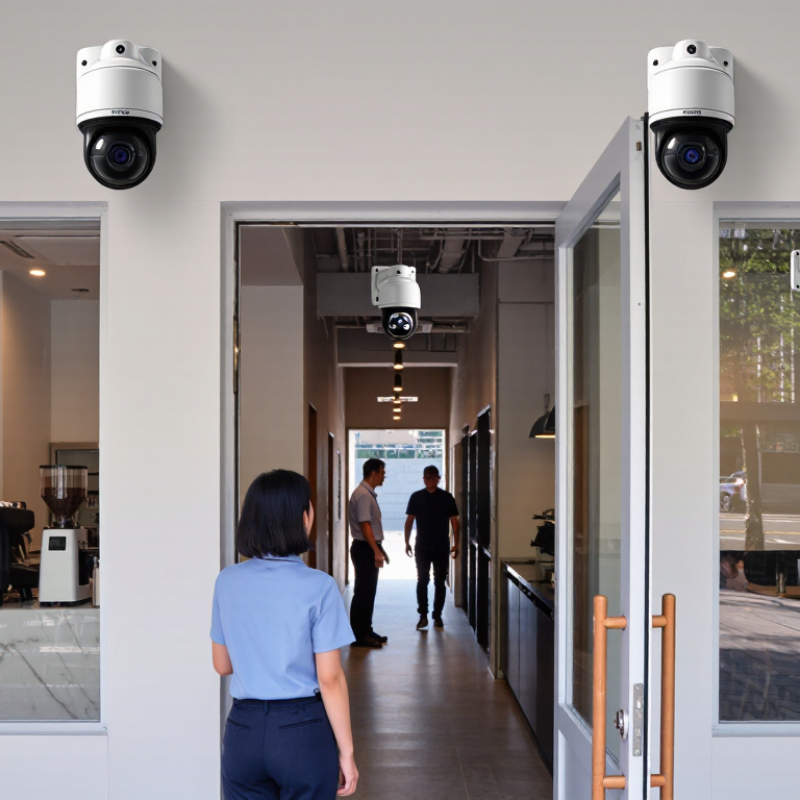
Define Your Business’s Security Goals and Surveillance Requirements
Before comparing camera specifications, define what your business must protect. In site assessments, I begin with incidents, vulnerable assets, and daily movement patterns. A retail entrance needs clear facial detail. A warehouse may need wide coverage and motion tracking. An office might prioritize controlled access points and discreet monitoring. Write these needs down. Keep it practical. Identify the cost of a missed event, not only the equipment cost.
Walk through the property at different times. Note glare on glass, dim loading bays, shadows, and changing sunlight. Decide whether you need identification, observation, or general awareness. These goals require different image detail and camera placement. A narrow view can capture faces but miss surrounding activity. A wide view covers more space but may lose useful detail. That trade-off is easy to underestimate. Test a sample position before installation, if possible.
Your plan should define recording hours, retention needs, user permissions, alerts, and maintenance responsibility. Reliable surveillance depends on more than a sharp image. Stable network access, protected storage, accurate time settings, and clean lenses matter every week. Avoid collecting footage without a clear purpose. Review access regularly. I have seen teams choose advanced features that nobody monitors. That is wasted budget. A simpler system may serve the goal better, though every site deserves a fresh review.
Compare CCTV Camera Types, Features, and Suitable Business Uses
How to Choose the Best CCTV Camera for Your Business?
Compare CCTV Camera Types, Features, and Suitable Business Uses
Choosing a CCTV camera starts with the business environment, not the camera box. A small shop may need a wide-angle dome camera above the checkout area. A warehouse usually benefits from fixed cameras with infrared night vision and strong low-light performance. Outdoor sites require weather-resistant housings, stable mounting, and protection from dust. I once selected a narrow lens for a wide entrance, leaving blind corners near the loading door. That mistake changed how I plan coverage.
Camera types suit different working conditions. Dome cameras are discreet and useful in offices, reception areas, and retail stores. Bullet cameras can provide longer viewing distances around gates, parking areas, and building edges. Pan-tilt-zoom cameras cover moving subjects, but they cannot watch every direction simultaneously. Image resolution matters, yet higher resolution alone does not guarantee useful evidence. Lighting, lens angle, storage capacity, and camera placement matter just as much.
Check motion detection, night performance, audio needs, remote access, and recording reliability. For a busy restaurant, quick playback and clear facial detail may be more valuable than extreme zoom. A logistics site may prioritize continuous recording and tamper alerts. Test the view at different times. Reflections, shadows, and rain can weaken an otherwise impressive image. Review access permissions carefully, and follow applicable privacy requirements. No setup is perfect. Recheck blind spots after furniture, signs, or seasonal lighting changes.
Evaluate Image Quality, Coverage, Lighting, and Storage Capacity
Choosing a CCTV camera for business starts with evidence, not impressive specifications. In my site audits, clear faces and readable labels matter more than marketing claims. Aim for sharp resolution that matches the scene. A wide entrance may need detail across twenty feet. A checkout camera needs focused facial and hand visibility. Test footage at walking speed before installation. It exposes blur quickly.
Coverage depends on height, lens angle, and blind spots. Draw a simple floor plan, then mark doors, aisles, loading areas, and cash points. One camera rarely covers everything well. Overlapping views can protect critical zones, but excessive overlap wastes budget. Check lighting during opening, closing, and nighttime hours. Backlight can turn a person into a dark outline. Infrared helps in darkness, yet reflective floors may create glare. Add controlled lighting where practical. Do not assume a bright daytime image proves night performance.
Storage planning should consider resolution, frame rate, motion activity, and retention needs. A busy entrance fills storage faster than a quiet corridor. Calculate capacity from real test footage, not theory. Keep a small safety margin. I have seen systems overwrite useful recordings after unexpected busy weeks. That failure is easy to miss until evidence is needed. Review access controls, export quality, and backup reliability with the installer. Recheck the design after staff movement or furniture changes.
Review Installation Options, Connectivity, Data Security, and Maintenance
How to Choose the Best CCTV Camera for Your Business?
Installation choices shape daily performance. Wired cameras usually provide stable video and reduce battery concerns. However, cable routes may require ceiling access, drilling, and professional planning. Wireless models install faster, but thick walls can weaken signals. Test every proposed position at different times of day. A camera facing a glass door may capture reflections instead of faces. Mount units high enough to prevent tampering, but keep lenses reachable for cleaning. I have seen excellent cameras fail because installers ignored lighting changes near entrances.
Connectivity also affects reliability. Use a separate, protected network for cameras when possible. Strong passwords and multi-factor authentication reduce unauthorized access risks. Encrypt stored footage and limit viewing permissions by job role. Set retention periods that match your operational needs, rather than saving everything indefinitely. Cloud storage can simplify remote access, while local storage may offer greater control during internet outages. No setup is perfect. A temporary connection test may miss evening congestion or weak signals during busy hours.
Maintenance should be scheduled, not remembered. Clean lenses monthly in dusty areas and inspect mounts after storms or construction. Check timestamps, recording status, and night vision regularly. Review a short sample from each camera every week. This simple habit can reveal missing footage early. Keep firmware updated through verified sources, and document every configuration change. Avoid placing recorders in hot, unlocked cabinets. Small oversights matter. A clear maintenance log also helps technicians diagnose faults without guessing.
How to Choose the Best CCTV Camera for Your Business?
Compare PoE connectivity standards when evaluating installation requirements, camera power needs, and future expansion.
How to use this chart: IEEE 802.3af supports up to 15.4 W at the switch and approximately 12.95 W at the powered device. IEEE 802.3at increases this to 30 W and approximately 25.5 W, while IEEE 802.3bt provides up to 60 W or 90 W depending on the type. Choose enough capacity for the camera, infrared illumination, heater, microphone, motorized zoom, and other connected accessories.
For installation, verify cable distance and network capacity. For security, select cameras supporting encrypted communication, strong authentication, firmware updates, and secure storage. For maintenance, prioritize remote health monitoring, replaceable components, and clear retention policies.