Leave Your Message

7 Best Battery Camera Tips for Buyers in 2026

Choosing the Best Battery Camera in 2026 takes more than comparing battery capacity or advertised resolution. Real-world runtime depends on motion frequency, signal strength, temperature, recording length, and how often you check live video. A camera beside a busy driveway may need charging far sooner than one watching a quiet garden gate. Small details matter.

This guide outlines seven practical tips to help buyers compare cameras with clearer expectations. Look beyond headline battery figures and check whether the manufacturer explains its testing conditions. Review charging options, battery replacement, local or cloud storage, night performance, and Wi-Fi requirements. A weak signal can increase power use, while frequent alerts may leave you with a busy phone and shorter battery life. Convenient, perhaps. Reliable? Not always.

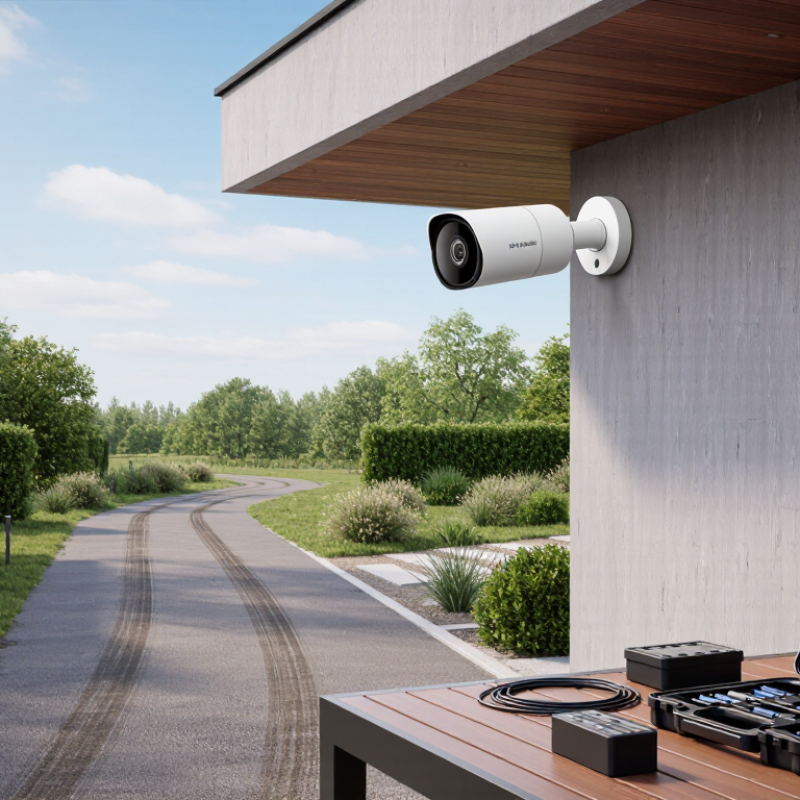
Placement deserves careful thought. Mounting a camera under an eave can reduce direct rain exposure, but it may also limit the view. Before installation, test the wireless signal and check that the lens captures the area you actually need. Also consider privacy controls, account protection, and the cost of subscriptions. Specs rarely tell the whole story. Even careful planning cannot predict every cold snap or burst of activity, so treat runtime estimates as guidance, not a promise. The best choice is the one that fits your property, routine, and willingness to recharge—not simply the model with the biggest number on its box.
7 Best Battery Camera Tips for Buyers in 2026

How Battery-Powered Cameras Work and Where They Fit

Battery-powered cameras sleep between events, saving energy until a motion sensor detects movement. The camera then wakes, records a short clip, and sends an alert over Wi-Fi. Some models store footage locally; others depend on cloud access. That difference matters when the internet drops. Check whether the camera records without a connection, and test the signal near the planned mounting spot. A concrete wall can weaken Wi-Fi more than expected.

Battery life depends on activity, settings, temperature, and signal strength—not just the capacity printed on the box. A busy driveway may trigger dozens of recordings daily, while a quiet side gate uses less power. BloombergNEF’s 2024 battery price survey reported a 20% drop in average lithium-ion pack prices, to $115 per kilowatt-hour. That industry-wide figure is not a forecast of camera runtime or retail cost, but it reflects broader battery-market change. Placement still counts. Mount the camera where it sees faces and delivery areas, but avoid branches that sway in the wind and trigger needless clips. A rechargeable battery can reduce wiring hassles. Still, climbing a ladder to recharge it gets old fast.

How to Estimate Battery Life and Charging Needs

Estimate battery life from energy use, not milliamp-hours alone. A 10,000 mAh battery rated at 3.7 volts stores about 37 watt-hours. Allowing a 20 percent reserve leaves roughly 29.6 watt-hours for use. If camera logs show an average draw of 1.2 watt-hours per day, that suggests about 25 days between charges. This is an estimate, not a promise. Motion frequency, night recording, signal strength, and cold weather can change the result.

IEC 61960-3:2017 sets out capacity testing for portable lithium cells under controlled conditions. A camera’s real-world draw differs from a lab test, so treat its rated capacity as a starting point. Check daily battery loss at the actual mounting spot for at least a week. Count busy days, not just quiet ones. A path with passing cars may trigger dozens of extra recordings.

Plan charging around your own usage log: estimate days to empty, then schedule a charge before the reserve is reached. For example, a 25-day estimate could mean checking or charging around day 18. Leave room for missed alerts and colder nights. I would not trust one sunny-week test; it can make the estimate look better than it is. If charging relies on a small solar panel, compare its measured daily energy gain with the camera’s daily use, and allow cloudy days to reduce the margin.

How to Compare Video Quality, Night Vision, and Detection

When comparing video quality, look beyond the advertised resolution. A wider view can capture a doorway and walkway, but distant faces may appear smaller. Check sample footage recorded at the same distance as your planned installation. Look for readable details, natural motion, and stable exposure when someone crosses a bright window. Higher resolution can use more storage and power, too. That trade-off is easy to miss.

Night vision deserves its own check. Infrared footage can show movement clearly, yet faces may look pale and flat. Color night vision usually needs some nearby light, such as a porch lamp. Compare clips in the actual darkness around your home. Watch for glare from glass, reflective siding, or rain. Small differences matter.

Detection performance depends on more than sensitivity settings. Passive infrared sensors generally respond to changes in heat, while image-based detection analyzes video. Trees moving in wind or passing headlights can trigger unwanted alerts. Mount the camera at a practical height, then test the approach from several directions. Keep a few sample clips. Battery life varies with alert frequency, live viewing, temperature, and Wi-Fi strength, so a maker’s estimate may not match your routine. I’d give real-world alert accuracy more weight than one impressive specification, though that judgment can change with the property.

7 Best Battery Camera Tips for Buyers in 2026 — How to Compare Video Quality, Night Vision, and Detection

Comparison Factor What to Compare Practical Facts Buyer Check
1. Video Resolution Recorded resolution, image detail, and available frame rates. 1080p video is about 2 megapixels per frame. Higher resolutions can show more detail, but use more storage and bandwidth; actual clarity also depends on the lens, sensor, and lighting. Compare sample footage at the same viewing size and distance. Check whether the stated resolution applies to recorded clips, not just live view.
2. Field of View Horizontal viewing angle and how much detail remains near the edges. A wider angle covers more area but can make distant subjects appear smaller. Lens distortion may also be more noticeable toward the edges. Check a sample image or field-of-view diagram, then confirm that the camera can capture useful detail at your intended mounting distance.
3. Night Vision Infrared night vision, low-light performance, and any color-night mode. Infrared LEDs typically provide black-and-white images in darkness. Color footage at night generally requires usable ambient light or a visible-light illuminator. Look for nighttime samples at the distance you need. Check whether an illuminator can be disabled if visible light would be disruptive.
4. Motion Detection Detection method, adjustable zones, sensitivity controls, and alert delay. Passive infrared (PIR) sensors detect changes in infrared energy from moving warm objects. Detection can be affected by distance, angle, temperature, and obstructions. Check whether activity zones and sensitivity settings are available. Test the camera in its intended location before relying on alerts.
5. Battery Life Battery capacity, recharge or replacement options, and conditions behind any runtime estimate. Battery life varies with motion frequency, clip length, live-view use, signal strength, temperature, and recording settings. A published estimate is not a guaranteed runtime. Compare estimates using similar settings and activity assumptions. Consider how easy the camera is to reach for charging or battery replacement.
6. Wi-Fi and Recording Supported Wi-Fi bands, connection reliability, storage options, and subscription requirements. Many battery cameras use 2.4 GHz Wi-Fi, which generally reaches farther than 5 GHz but offers lower potential data rates. Recording may use local storage, cloud storage, or both. Confirm compatibility with your network, test signal strength at the mounting point, and check how long recordings remain available and whether fees apply.
7. Weather and Installation Weather-resistance rating, operating temperature range, mounting options, and charging access. Ingress Protection (IP) ratings describe protection against dust and water under specified test conditions; they do not guarantee resistance to every weather condition or installation setup. Choose a rating and temperature range suited to the location. Check the required mounting clearance and whether the camera can be removed easily for charging.

How to Check Connectivity, Storage, and Smart Home Compatibility

A battery camera can have sharp video and still fail at the gate if its wireless signal is weak. Check the required Wi-Fi band and network setup before buying. Then test the intended mounting spot with a phone, not just beside the router. A phone is only a rough guide; its antenna may perform differently. Try a live video call from that corner. A brief delay matters.

Storage affects what you can review later. Check whether the camera saves clips locally, to cloud storage, or both. Look for card limits, retention periods, and any recurring fee. Ask what happens during an internet outage: some models keep recording locally, while others lose key features. Small detail, big difference. Also check whether motion clips can be downloaded easily, especially if you need to share a file with another household member.

Smart home compatibility can be confusing. Confirm that the camera works with the specific hub or voice assistant you use, and check which functions are supported. “Compatible” may mean alerts only, not live viewing or routines. Battery cameras may also limit continuous streaming to conserve power. I would not assume every integration works smoothly; setup instructions can be vague. Check the return window and test alerts, storage, and routines soon after installation.

How to Choose Weather Protection, Mounting, and Ongoing Costs

A battery camera may seem easy to place, but weather protection starts with its location. Check the stated ingress-protection rating and operating-temperature range, rather than relying on a “weatherproof” label alone. A covered wall can reduce direct rain and sun, though it should not block the view or microphone. Seals and charging-port covers matter. Small details matter.

Mount the camera where you can reach it safely for battery changes, but not where passersby can easily tamper with it. Aim across an approach, not straight toward a bright window or moving branches; these can trigger needless alerts. Before drilling, test the wireless signal at the exact spot and check the live view at night. A strong signal indoors may weaken outside. It is easy to overvalue a tidy installation and miss the maintenance involved.

Ongoing costs include replacement or rechargeable batteries, possible cloud-storage fees, and time spent reviewing alerts. Compare storage limits and how long recordings remain available before choosing a plan. Solar charging can reduce battery changes, but shade, short winter days, and poor panel placement may limit its help. Frequent motion events also drain power faster. Estimate costs over a year, not just at checkout, and leave room for a less-than-perfect battery life estimate.